

May 13, 2026
-
By Julia
Every manager knows this feeling.
You want to know if your team is on track. Who has too much work. Who has room for more. But the moment you start asking for daily updates or checking every task — you become the problem, not the solution.
Most managers don't micromanage on purpose. They do it because no one taught them a better way to manage workload overwhelms. Gallup's 2025 Workplace Report found that fewer than 44% of managers have ever received any formal management training. So they hover — because hovering feels like the only option.
The cost is real. Employee engagement hit just 21% in 2024 — and disengagement costs the world economy $8.9 trillion every year.
There is a better way. And it starts with visibility, not surveillance.
Before we talk about solutions, it helps to understand what managers are actually trying to know.
It is rarely, “Is this person working hard enough?”
That is a surveillance question — and surveillance is where things start going wrong.
The real questions are almost always operational:
Because when teams lack visibility into workload, workload paralysis begins.
Tasks pile up. Priorities blur. Important work slows down because nobody realizes certain team members are already stretched beyond capacity.
These are not behaviour problems. They are workload problems.
And workload is something you can measure, visualize, and act on — without making employees feel constantly watched.
Most productivity tracking tools measure the wrong things.
Time-tracking software logs hours. Screenshot tools capture screen activity. Attendance dashboards show who is online and when.
These tools share one fundamental flaw: they measure presence, not output. They tell you someone was at their desk for eight hours. They tell you nothing about whether they were overwhelmed, underutilised, or stuck on something that needed help.
Worse, they destroy trust.
59% of workers feel that digital tracking hurts trust at work, while 56% report feeling stressed and anxious because of workplace surveillance. When employees know they are being watched at that level, they spend energy performing productivity rather than actually being productive.
The data makes the irony clear. Only 21% of employees worldwide say they are engaged at work — the first drop in years, and a direct result of management styles that prioritise control over support.
What managers need is not more surveillance. They need better visibility into work — specifically, into how tasks are distributed across the team, who has too much, and who has room to help.
Workload visibility is the ability to see, at a glance, how work is distributed across your team — based on task volume, complexity, and each person's actual capacity.
It answers the questions that matter:
Crucially, it is not about tracking hours worked or measuring individual performance. It is about resource planning — making sure the work is spread sensibly, so projects stay on track and people do not burn out.
This is exactly what Kroolo's Workload Insights was built to do.
Kroolo gives managers a live, visual view of team capacity — so they can make informed decisions about task distribution without ever resorting to invasive monitoring.
Here is how to use it, step by step.
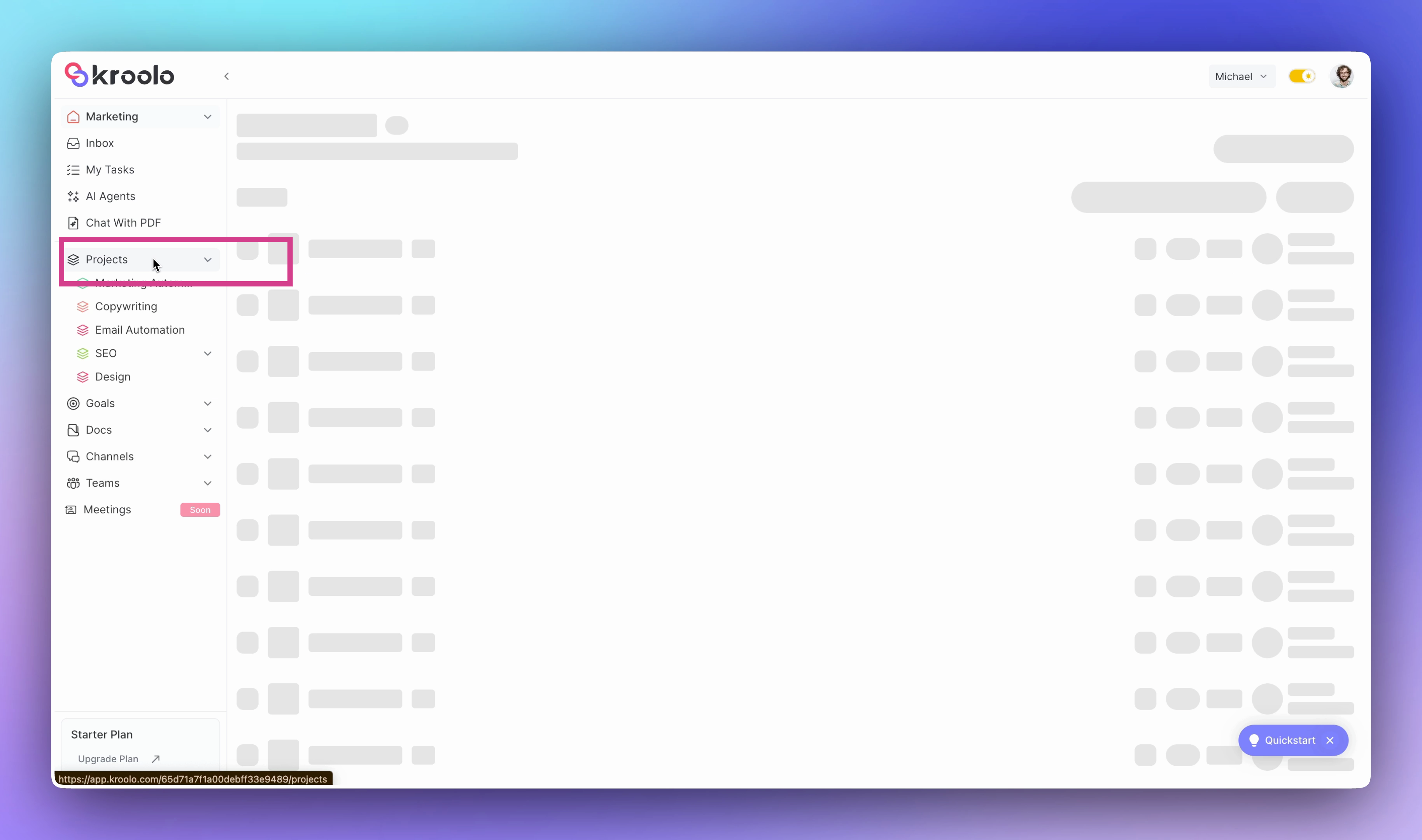
Start by navigating to the project you want to manage.
In your workspace, go to Projects, open the relevant project, and select Workload from the project navigation.
This opens the workload dashboard for that project — a visual timeline showing every team member, the tasks assigned to them, and how that maps against their weekly capacity.
At a glance, you can already see who is carrying a heavy load and who has breathing room.
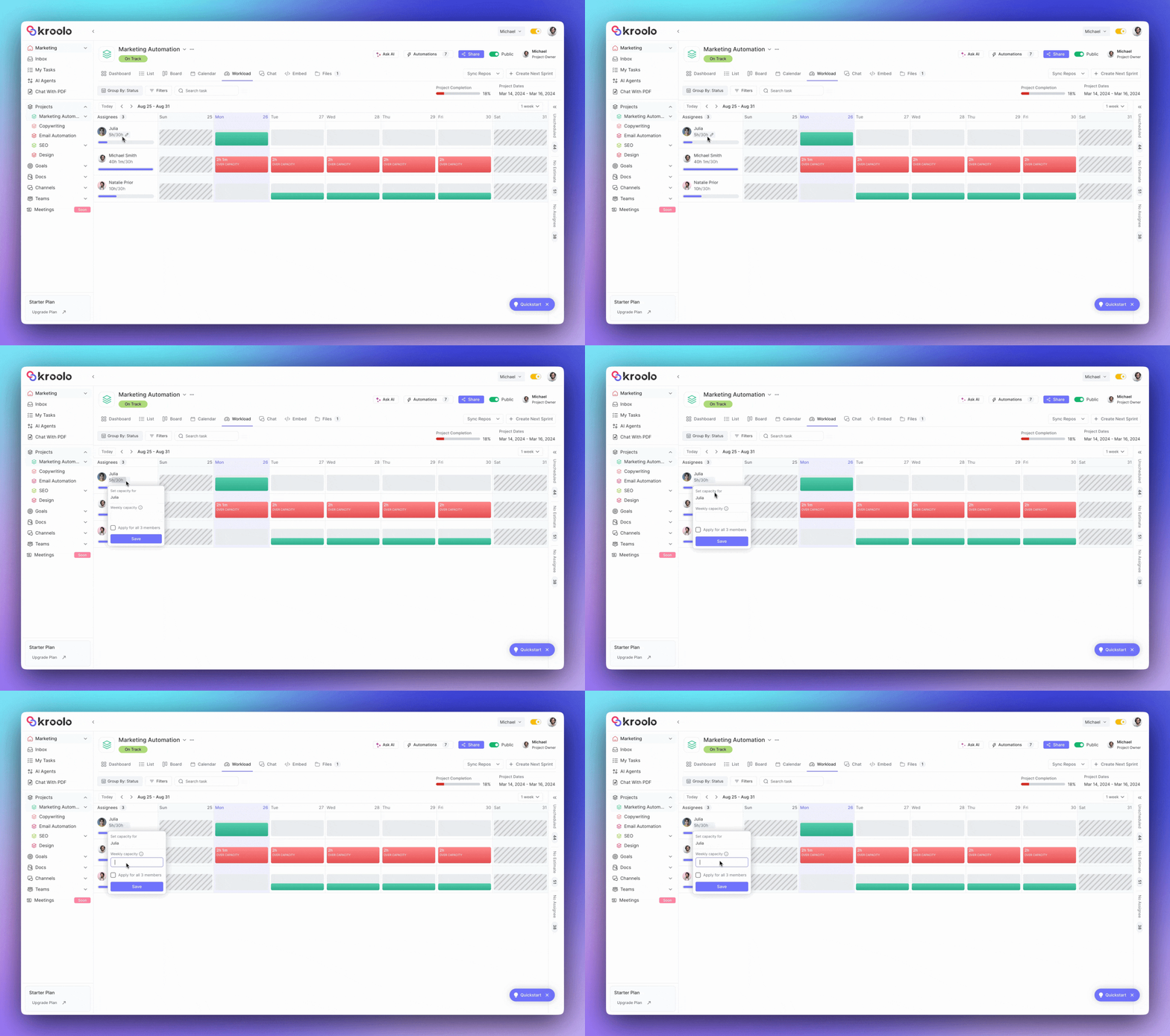
Before Kroolo can flag overload, it needs to know what "full capacity" looks like for each person on your team.
Click the three dots next to any project member's name and open their capacity settings. Enter their weekly capacity in hours — for example, 30 hours for a part-time contributor, or 40 hours for a full-time team member.
Kroolo automatically distributes this across Monday to Friday, giving you a daily capacity baseline for each person. You can set the same capacity for all members in one click, or customise it individually if people have different availability.
Why this matters: Without capacity data, you are just looking at a list of tasks. With it, you are looking at a ratio — tasks versus available hours — which is the number that actually tells you whether someone is overloaded.
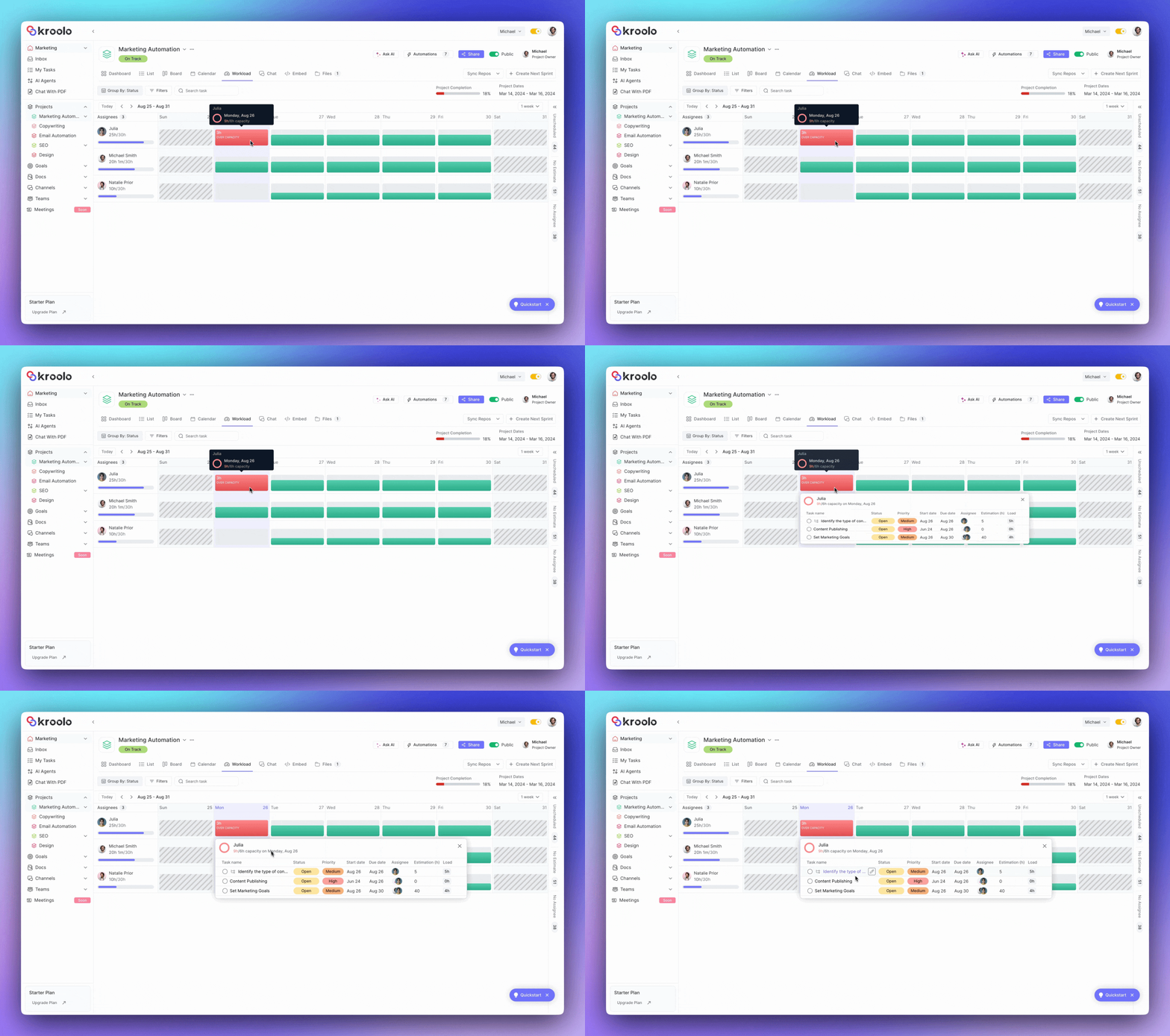
With capacity set, the workload view becomes genuinely useful.
Each team member appears as a row on the dashboard. Their assigned tasks are displayed across the week, colour-coded against their capacity:
Kroolo also surfaces unscheduled tasks — work that exists on the project but has not been assigned or given a timeline yet. These sit in a panel on the left side of the view, making it easy to spot gaps in planning before they become urgent problems.
You can toggle the view between weekly, biweekly, and monthly depending on how far ahead you want to plan.
Kroolo also tracks holidays and time-off automatically, so capacity calculations stay accurate without you having to manually account for who is out.
When you spot someone who is overloaded, Kroolo makes it easy to fix without it becoming a conversation about performance.
To reassign a task
Click on the task in the workload view, select the assignee field, and choose a different team member. Kroolo updates the workload view instantly — you can see in real time whether the rebalance brings everyone back into a healthy range.
To split a task between two people
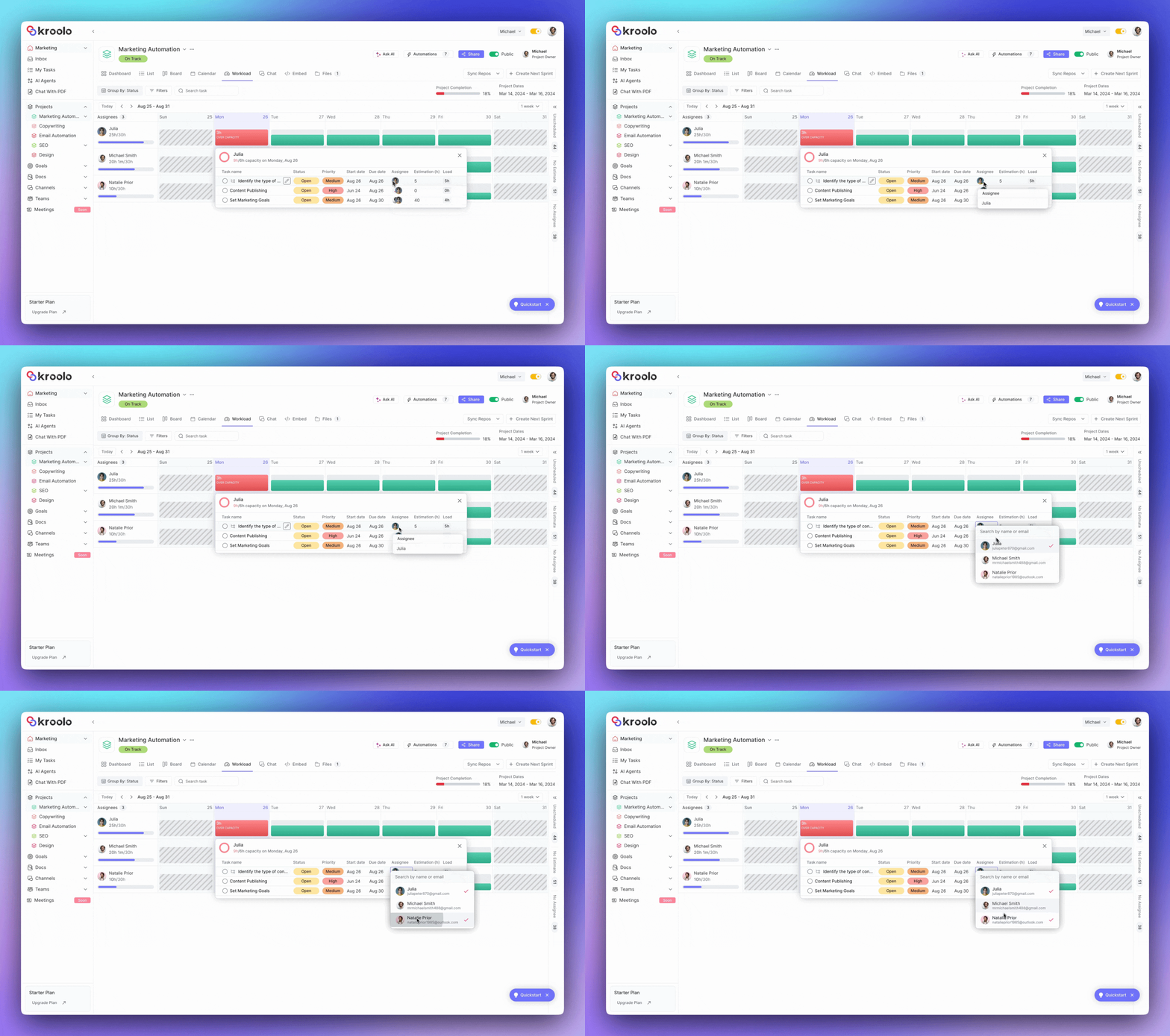
Click the assignee field and add a second member. The task now lives in both of their workloads, and Kroolo reflects the shared responsibility on the dashboard.
To assign an unscheduled task
Pull from the unscheduled panel on the left and drag it to the team member with the most available capacity. This is where Kroolo's drag-and-drop interface earns its keep — you are literally redistributing work visually, in seconds, with immediate feedback on whether the balance looks right.
The key here is that this entire process is about tasks and capacity — not about individual performance, hours logged, or surveillance of any kind. You are managing work, not people.
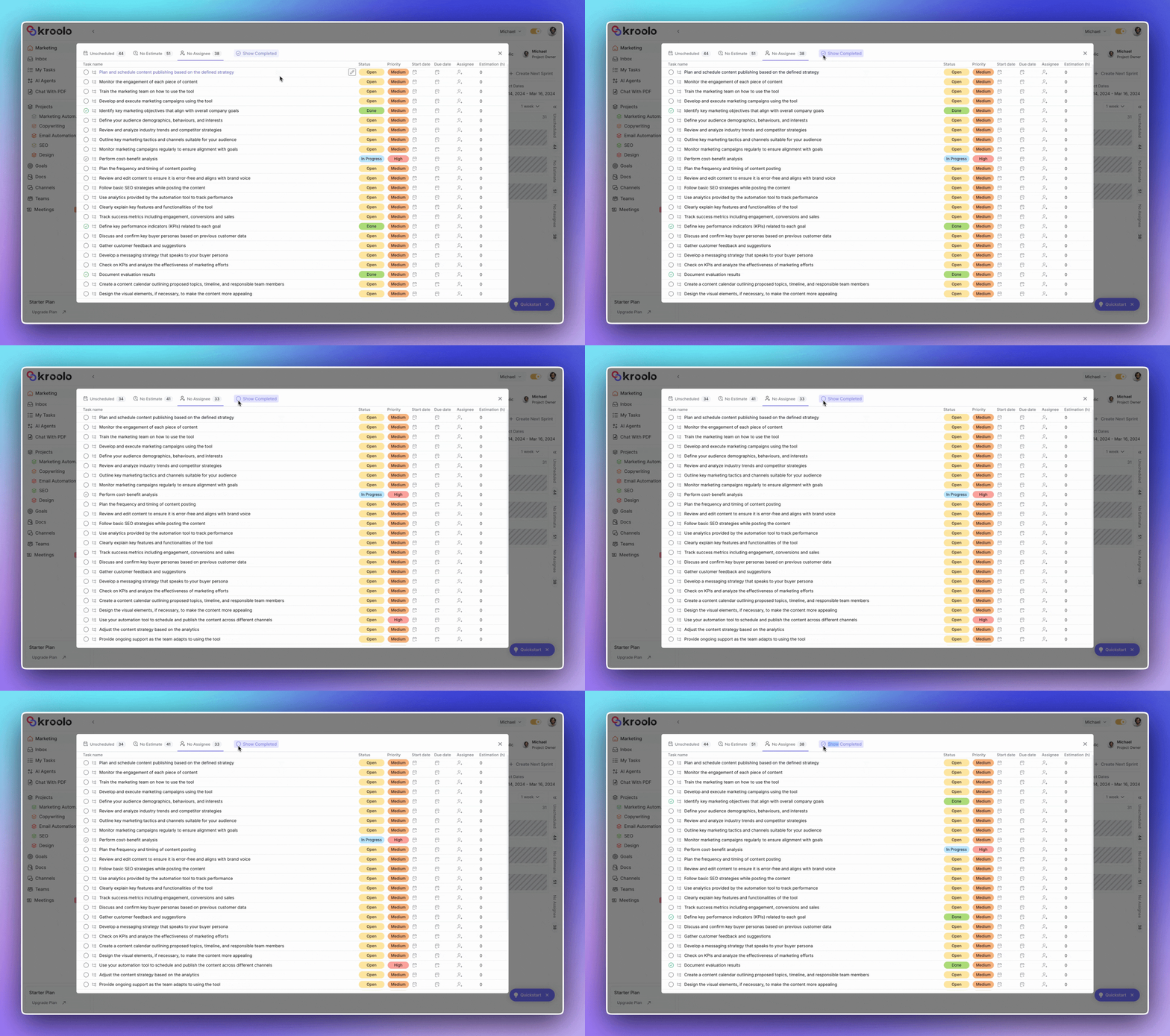
As the week progresses, Kroolo lets you toggle completed tasks on or off in the workload view.
Keeping them visible gives you a sense of momentum — useful for sprint reviews or end-of-week check-ins.
Hiding them keeps the view clean and focused on what still needs to happen. Either way, you are looking at real work, not activity metrics.
The shift from surveillance-based tracking to workload-based visibility changes the dynamic of the entire team.
Managers stop guessing
Instead of checking in every day to figure out if someone is overwhelmed, they can see it on the dashboard. Decisions about task distribution are based on data, not gut feel or whoever shouts loudest.
Employees stop feeling watched
Nobody is monitoring keystrokes or screen time. The only thing being tracked is the work — which tasks exist, who owns them, and how much time they require. That is information employees themselves benefit from having visibility into.
Burnout becomes preventable, not retrospective
Most burnout is invisible until it is too late. By the time someone says they are overwhelmed, they have usually been drowning for weeks. Kroolo's workload view surfaces the overload before it becomes a crisis — when there is still time to rebalance.
Conversations become easier
When a manager needs to have a conversation about capacity, they can point to the dashboard instead of relying on perception. "I can see you have 12 tasks due this week and your capacity is 30 hours — let's look at what we can move" is a very different conversation from "I feel like you are stretched too thin."
Conclusion
The managers who build the most productive teams are not the ones who check in the most. They are the ones who have systems that surface problems early — so they can lead with clarity instead of anxiety.
Real productivity does not come from constantly watching people work. It comes from making sure the right work is in the right hands, workloads stay balanced, and bottlenecks are identified before deadlines slip or burnout begins.
That is exactly what Kroolo helps you do.
With real-time Workload Insights, managers can instantly understand how work is distributed across the team, identify overload early, and make smarter decisions without endless follow-ups or status meetings.
No micromanagement. Just better visibility, healthier teams, and faster execution.