
Effortlessly Import and Sync Trello Boards with Kroolo
With Kroolo’s Trello integration, you can seamlessly import your boards, lists, cards, and more into Kroolo. Simplify your project management, maintain data integrity, and stay aligned across platforms with smooth one-way synchronization.
Importable Entities
- Transfer Trello Boards, Lists, and Card
- Sync all attachments, links, and URLs
- Labels, Due Dates, and Descriptions
Integration Access Roles
Steps to Integrate Trello with Kroolo
Log into Kroolo
Select Trello
Connect Your Trello Account
Choose What to Import
Import and Start Working
For detailed guidance, visit our Help Center
Key Features of Trello - Kroolo Integration
Streamlined Workflow
Manage all your Trello data in Kroolo for a unified project management experience.
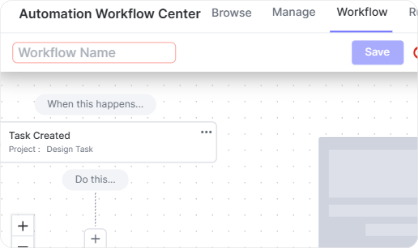
Time-Saving
Eliminate repetitive manual data entry and keep your team focused on execution.
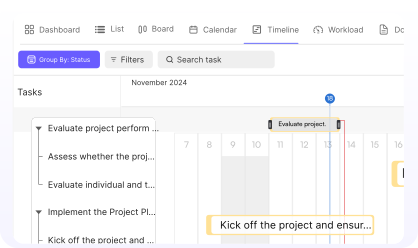
Effortless Migration
Import Trello boards into Kroolo in just a few clicks without losing any data.

Accurate Data Sync
Keep your attachments, URLs, labels, and deadlines intact.
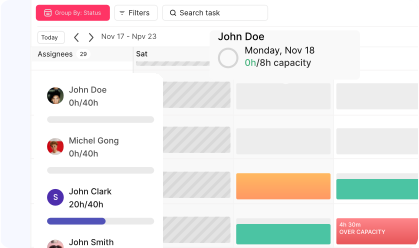
Enhanced Productivity
Leverage Kroolo’s powerful tools to organize, assign, and track tasks more effectively.

Start your integration now and bring your Trello data into Kroolo for a more efficient project management experience!
You might be interested in

Linear
Track and manage software projects with Linear’s streamlined issue tracking & agile workflows.

Wrike
Manage projects, tasks, and workflows with Wrike’s powerful tools.

Google Drive
Store, share, and collaborate on documents seamlessly with Google Drive integration.

Airtable
Manage projects, assign tasks, and track progress to improve team collaboration & efficiency.
Get Kroolo, The best of
AI and Work Management
Start for Free. Upgrade anytime!