
Seamlessly Connect Confluence with Kroolo
Enhance content management, collaboration, and workflow automation in Confluence by integrating with Kroolo to manage spaces, folders, subfolders, pages, and more, while automating processes like formatting, macros, and notifications.

Importable Entities
- Migrate your Confluence pages and attachments into Kroolo
- Keep your folder structure intact for easy organization
- Retain all essential data, including page descriptions and metadata
Integration Access Roles
Steps to Integrate Confluence with Kroolo
Log into Kroolo
Select Confluence
Connect Your Confluence Account
Choose What to Import
Import Your Data
For detailed guidance, visit our Help Center
Key Features of Confluence - Kroolo Integration
Content Management
Automatically organize Confluence spaces, pages, and folders based on predefined structures.
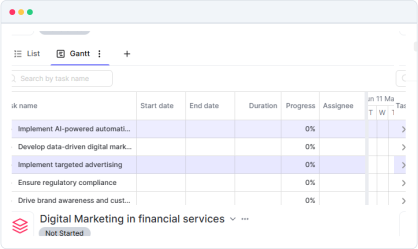
Format & Layout Automation
Set rules for content formatting, style application, and layout updates directly from Kroolo.
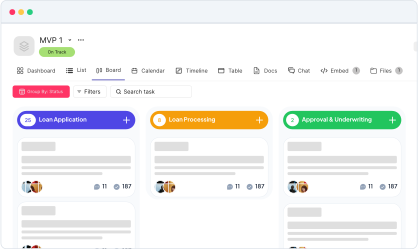
Custom Macros
Automate the insertion of macros (e.g., tables, calendars, status indicators) in Confluence pages.
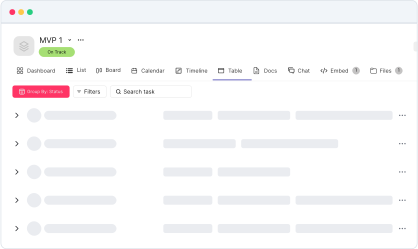
Tabs Management
Automatically create and manage tabbed content or organize content into structured tables within Confluence.
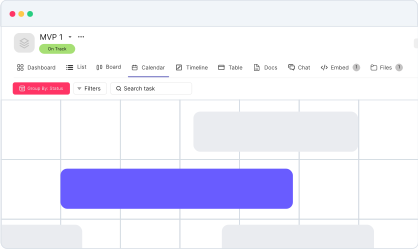
Notifications & Alerts
Set up real-time notifications for content updates, page changes, or new task assignments.

Start your integration now and bring your Confluence data into Kroolo for a more efficient project management experience!
You might be interested in

GitHub
Integrate GitHub to manage code, pull requests, and commits directly within your workflow.

Gmail
Integrate Gmail with Kroolo to manage communication within your projects seamlessly.

Intercom
Enhance customer support and engagement with Intercom’s messaging and automation tools.

Outlook Calendar
Integrate Outlook Calendar with Kroolo for improved scheduling and task management.
Get Kroolo, The best of
AI and Work Management
Start for Free. Upgrade anytime!